3D Printing Challenge
Design a challenge coin at BSides Seattle 2026 and earn CTF points
What is the 3D Printing Challenge?
Join us at the 3D Printer Village during BSides Seattle (February 27–28, 2026) for a hands-on challenge coin design and printing experience. Download the RTA logo, incorporate it into a challenge coin design, and print it on-site to earn CTF points.
2 Days
February 27–28, 2026
All Skill Levels
Beginners to experts welcome
Earn CTF Points
Compete for bragging rights
How to Participate
Design & Prepare
Complete at your own pace (before or at the event)
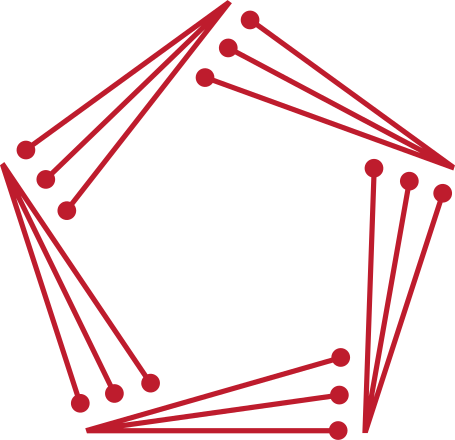
Download the SVG
Get the RTA logo SVG file and use it as the foundation for your challenge coin design.
Design Your Coin
Use Fusion 360, Blender, TinkerCAD, or any 3D modeling software to create your unique design. Remember the 25-minute print constraint.
Slice with PrusaSlicer
Load your model into the PrusaSlicer.
Configure for either Prusa MK4S or Prusa Mini Plus.
Set Filament type to "Prusament PLA".
At BSides Seattle
Happens February 27–28, 2026 at the 3D Printer Village
Submit for Approval
Bring your G-code file on a flash drive to the 3D Printer Village. Show it to an organizer for review.
Print Your Coin
Queue your job on one of the available printers and watch your design come to life in under 25 minutes.
Claim Your Points
Present your finished coin to Terry or Victoria Thibault at the RTA booth to verify and receive your CTF points!
Challenge Requirements
Print Time
Your design must print in under 25 minutes.
Logo Legibility
The RTA logo must be clearly visible and legible to receive points.
PrusaSlicer Required
Your file must be sliced using PrusaSlicer for consistency and safety.
Recommended Tools & Resources
3D Modeling Software
- Fusion 360 - Free for students and startups
- Blender - Free and open-source
- TinkerCAD - Free, browser-based, beginner-friendly
- SolidWorks - Professional CAD
- FreeCAD - Free and open-source
Slicing & Printing
- PrusaSlicer - Free and open-source (required for this challenge)
- Printer Models: MK4S or Prusa Mini Plus
- Filament: Prusament PLA only
- Layer height recommendations: 0.2mm for detail
- Infill: 15-20% for faster prints
- Support structures may be needed
Learning Resources
- Fusion 360 Design Tutorials
- Blender Coin Design Guides
- PrusaSlicer Documentation
- Thingiverse Challenge Coin Examples
- 3D Printing Best Practices
Tips for Success
Keep It Simple
Complex designs with thin details may not print well or may exceed the 25-minute time limit. Test your design in PrusaSlicer first.
Logo Legibility
Ensure the RTA logo is clearly visible and not covered by support material. Consider the logo's placement and size carefully.
Print Time Matters
Use PrusaSlicer's time estimate feature to verify your print will finish in under 25 minutes. Adjust infill, layer height, or design complexity if needed.